
The short answer
The Pomodoro Technique for studying means you study one topic for 25 minutes, rest for 5, and take a longer break after four rounds. It works because a short, fixed block is easy to start and hard to waste.
- Before: list your topics and give each a number of rounds.
- During: one topic, phone in another room, no tab switching.
- Break: one minute of recall, then move away from the desk.
- After: count the rounds you finished, not the hours you sat there.
What is the Pomodoro Technique for studying?
The Pomodoro Technique is a way to split time into focus rounds and short breaks. Francesco Cirillo came up with it as a university student in the late 1980s and named it after his tomato-shaped kitchen timer. "Pomodoro" is Italian for tomato. So it started as a study method before it became a work one.
We make SayBriefly, an app for people who work with clients. It is not a study app, and we say more about that at the end. The study timer on this page is the same one we built for our own pomodoro timer, and it is here for anyone who needs it.
You don't need more hours. You need rounds you actually finish.
The study timer on this page
Scroll up and you will find a working timer. Add up to three topics for today, tap the one you are on, and press Start. When a round ends, a chime plays and that topic gets a count, so at the end of the day you can see where your time really went. After four rounds it gives you a 15 minute break by itself. Your topics are saved in this browser, so they are still there tomorrow.
It shows the countdown in the tab title too, so you can keep your notes open full screen and still see the time left.
How to study with the Pomodoro Technique, step by step
- Make a short list of topics. Not "study chemistry". Write "balance equations, chapter 4" and "past paper question 3". Small and clear beats big and vague.
- Give each topic a number of rounds. Two rounds for the chapter, one for the past paper. This is your plan. It also shows you quickly if the day is overbooked.
- Clear the desk. Phone in another room or face down with notifications off. Close every tab you do not need for this topic.
- Start the timer and do only that topic. If a thought comes up ("I need to email my tutor"), write it on paper and go back. You will deal with it in the break.
- Stop when it rings. Even mid sentence. Stopping on time is what makes the next round easy to start.
- Recall, then rest. Spend the first minute of the break saying or writing what you just learned, without looking. Then get up.
- After four rounds, take a long break. 15 to 30 minutes. Eat, walk, talk to someone.
25/5, 50/10 or 15/3: which length is right?
The classic is 25 minutes of study and 5 of rest. It is not a law. Pick the length that fits the kind of work and how much energy you have. The timer above has presets from 5 to 60 minutes.
| Rhythm | Good for | Watch out for |
|---|---|---|
| 25 / 5 (classic) | Most revision, flashcards, getting started | Stopping just as you get into a hard problem |
| 50 / 10 | Essays, long readings, problem sets, coding | Harder to start on a tired day |
| 45 / 15 | Lecture-length blocks, practice exams | Long break can turn into scrolling |
| 15 / 3 | Low energy days, a subject you dread | Too short for deep work |
A good trick: start the day with 25/5 to get moving, then switch to 50/10 once you are warmed up.
What to do in a study break
One minute of recall
Say the three main points out loud. Recalling is when it sticks.
Move and look away
Stand, stretch, water, a window. Give your eyes something far away.
Skip the phone
Five minutes of feeds almost never ends at five. Save it for the long break.
A sample study day with pomodoros
Here is what a normal revision afternoon can look like. Four hours at the desk, about eight real rounds.
An example plan. Swap in your own subjects.
Notice the last two rounds. Ending the day by reviewing what you got wrong turns a full day into something you actually remember next week.
Mistakes that break the Pomodoro Technique
Rereading instead of testing yourself
A round of highlighting feels productive and teaches little. Use rounds for practice questions, flashcards, or explaining a topic from memory.
Topics that are too big
"Study physics" never feels finished. "Five momentum questions" does. If you cannot say what done looks like, break it down.
Skipping breaks when you are on a roll
Once is fine. Every time, and by round six your focus is gone. If you keep wanting to skip, try longer rounds instead.
Counting hours, not rounds
Three hours in the library can hold one real round. Counting finished rounds keeps you honest.
Letting interruptions reset nothing
If you get pulled away for more than a minute, restart the round. It only counts when it is uninterrupted.
Exam weeks and group study
In exam weeks, plan rounds per subject for the whole week, not just the day. Put your weakest subject in your first rounds of the morning, when starting is easiest. Leave the last round of each day for a practice question under time pressure.
For group study, agree on the round length together, stay quiet during the round, and use breaks to quiz each other. A shared timer on one laptop works well. The group decides the topic for each round before anyone presses Start.
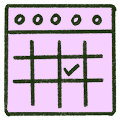
Plan the week in rounds
Count how many rounds each exam needs, then spread them out.
Study together, quietly
Same timer, silent rounds, quiz each other in the break.
A note about us
SayBriefly is built for work, not school. It is one app for people who run client projects: meeting notes with no bot, Gmail, a to-do list, a calendar, dictation and an agent called Scribbble, all sharing one memory. The focus timer sits on its to-do list, and tasks arrive from your calls and email.
If you are a student, you do not need any of that. The timer on this page is all you need, and it will stay here. If you freelance or work with clients alongside your studies, the SayBriefly to-do list is where the timer lives in the app.
More on the method: the full pomodoro timer guide, a pomodoro to-do list that keeps the timer and your list together, pomodoro tips if your attention wanders, and the best pomodoro timers for Mac.
Questions students ask about the Pomodoro Technique
How do you use the Pomodoro Technique for studying?
Pick one topic, set a timer for 25 minutes and study only that topic until it rings. Take a 5 minute break away from your screen. After four rounds, take a 15 to 30 minute break. Plan how many rounds each subject gets before you start.
Is 25 minutes long enough to study?
For most people it is a good start, because it makes starting easy. If you keep getting into a groove just as the timer rings, try 45 or 50 minutes with a 10 minute break.
What is the 50/10 study method?
It is a longer version of the Pomodoro Technique: 50 minutes of study, then 10 minutes of rest. It suits reading, essays and problem sets where it takes a while to get going.
How many pomodoros should I study a day?
There is no fixed number. Many students find 6 to 10 real rounds a day is plenty outside of class. Count the rounds you actually finish, not the hours you sat at the desk.
What should I do during a study break?
Get up and move, drink water, look at something far away. Spend the first minute recalling what you just studied without looking. Avoid your phone, which tends to eat the break and the next round.
Can I use the Pomodoro Technique with flashcards?
Yes. Give a round to one deck, and use a round later in the day to review the cards you got wrong. Short rounds work well for flashcards.
Does the Pomodoro Technique work for exam revision?
It works well for revision because it turns a vague goal like study biology into a number of rounds you can plan and count. Mix in practice questions, not just rereading notes.
Is the study timer on this page free?
Yes. The timer on this page is free, needs no account and keeps your task list in your own browser.
Is SayBriefly a study app?
No. SayBriefly is built for client work: calls, email, tasks and a calendar in one app. The timer on this page is for anyone, but if you are a student, a simple timer is all you need.









