
Pomodoro timer
Focus for 25. Rest for 5.
Round 1
25 minutes, one task.
Pick one thing. Work on only that until the timer rings. Then a 5 minute break. After 4 rounds, take a longer one.
A clock beats willpower.
A short, fixed block makes starting easy and stopping guilt-free. It's the pomodoro technique Francesco Cirillo named after his tomato-shaped kitchen timer.
Run it on a real task.
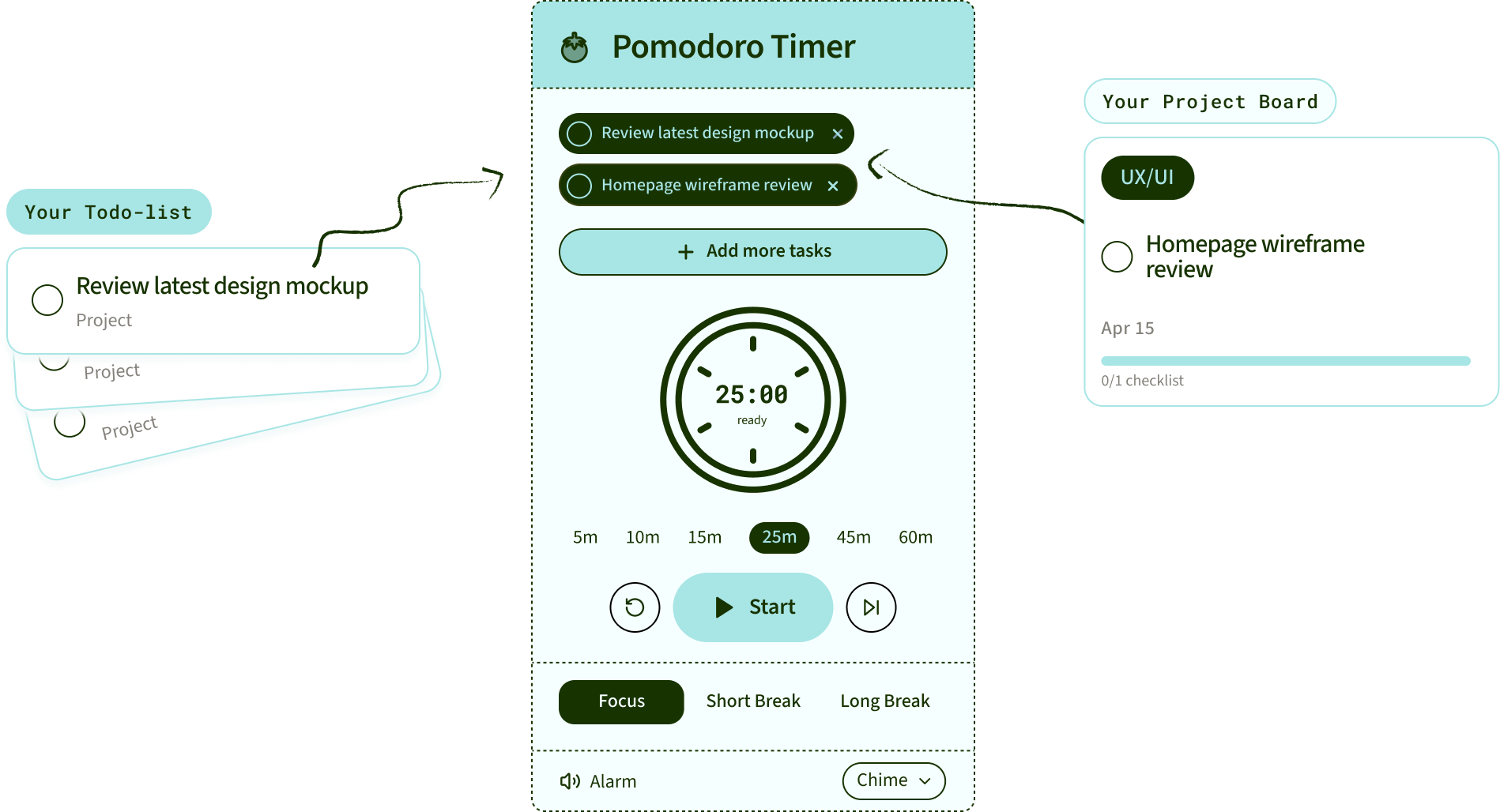
In SayBriefly, hit play on any to-do or project card. The timer knows what you're working on.
The timer is the easy part.
Knowing what to focus on isn't.
SayBriefly builds your to-do list from your meetings and email, plans your day, and puts a pomodoro on every task.

It's 4pm on a Friday. The brief is locked, the client is happy, and Scribbble already sent the meeting recap. You close the laptop.
That's the point.
Notes are the easy part.
Here's what they missed.
← Scroll to compare →


Takes the notes, so you can be in the call

Mac app only

Finds the emails that actually need you
when you ask
when you ask
Remembers what the client agreed to
Catches "small thing, can we add…" before it costs you
Knows which client every task belongs to
Builds your to-do list without you typing it
when you ask
when you ask
Lets clients book you, no back and forth
connector
connector
Spots scope creep hiding in Figma comments
Turns what you say into what you'd have typed
Made for people who bill clients

“SayBriefly allows me to give my full awareness in meetings, enabling radical presence, relevant question-asking, and finding flow that was otherwise elusive when note-taking.”

Emma Joel, Creative Director
Itsmy Studio
“The AI summaries are incredibly accurate. Our entire team adopted SayBriefly within weeks, and our post-meeting clarity has never been better.”

Marcus Chen, Product Manager
Pixel Lab
“What used to take hours of note-taking and follow-up emails now happens automatically. SayBriefly is the assistant I didn't know I needed.”

Sarah Williams, Head of Design
Studio Bloom

No more failed projects.
No more wasted time.
Your projects run smoother.
Your clients stay happy.
Your Fridays stay free.



2026 ©SayBriefly. All rights reserved.
Designed by @HustleJar